
The Free Background Remover I Use for My Travel Photos
The problem: the subject is great, the background is not. Get a free background remover for travel photos!
Here’s a thing that happens on every Ireland trip. You put together the perfect travel outfit — wool jumper, boots, the works — and the only photo you get of it is in a cluttered B&B hallway.
You order the most photogenic seafood chowder in Dingle, and behind it there’s a ketchup bottle, a stranger’s elbow, and a stack of menus.
You lay out your souvenirs to photograph and your kitchen table does them no favours.
The subject is lovely. The background is doing it dirty.
The fix is to cut the subject out entirely — outfit, food, souvenirs — so you can show it off clean or drop it onto a background that deserves it.
But online background removers want you to upload every photo, watermark the free results, and cap you with credits mid-batch.
So I tested a different approach: Creative Fabrica’s new desktop app includes a background remover with no upload required — it runs locally on your own computer, free, with no credits and no watermarks.
What is Creative Fabrica Studio Desktop?
Creative Fabrica Studio Desktop is a free app for Windows and Mac that combines Creative Fabrica Studio (a design editor) with local AI models you install on your own machine.
After a model is downloaded, supported tools — including the background remover and an image upscaler — can run directly on your computer rather than relying solely on cloud processing.
There’s no paid account or credit card required to use the free tools.
Free AND local? Usually, you get one or the other. So I installed it.
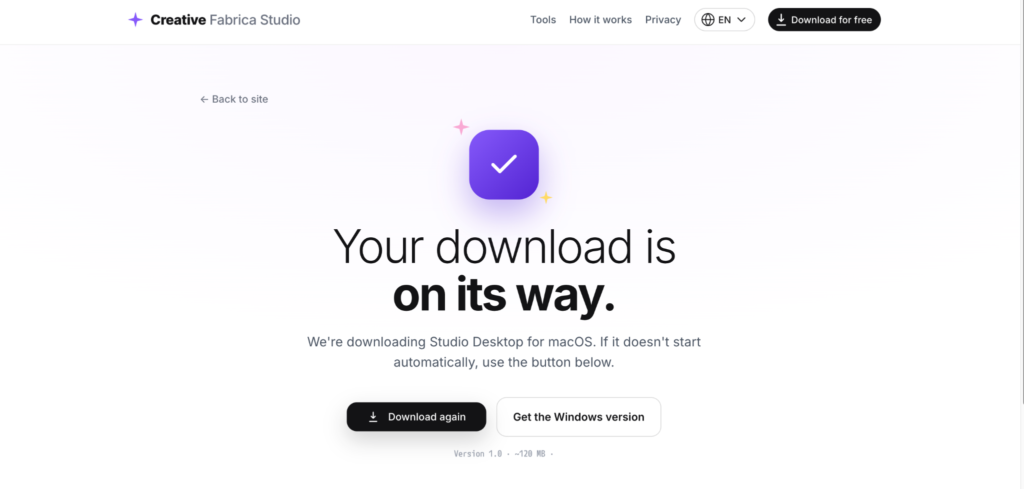
So, here is what it looks like after I installed it on my desktop for free. You get access to the tools immediately.

Why a local background remover beats the online ones
- Your photos never leave your computer. Outfit photos, food snaps, family shots — processed on your machine, not uploaded to someone’s server.
- No per-photo cost. A trip’s worth of outfit and food photos burns through a cloud tool’s free credits in minutes; a local tool doesn’t care if you do five photos or fifty.
- No watermarks or “upgrade to download in full quality” tricks.
- It works regardless of your broadband. Relevant if, like a lot of rural Ireland, your connection has moods.
- One important thing to understand: the tool removes everything behind your subject—it isolates the outfit, plate, or object entirely. That’s exactly what you want here, but it means it’s a cut-out tool, not a “delete just the ketchup bottle” tool.
Hands-on: from cluttered gas station background to clean cutout
I grabbed a photo of me at a cluttered petrol station eating an ice cream in a background that needed cleaning up, and I needed the background removed, and I put it through the wringer:
I clicked on the Free Models tab, then Background Remover
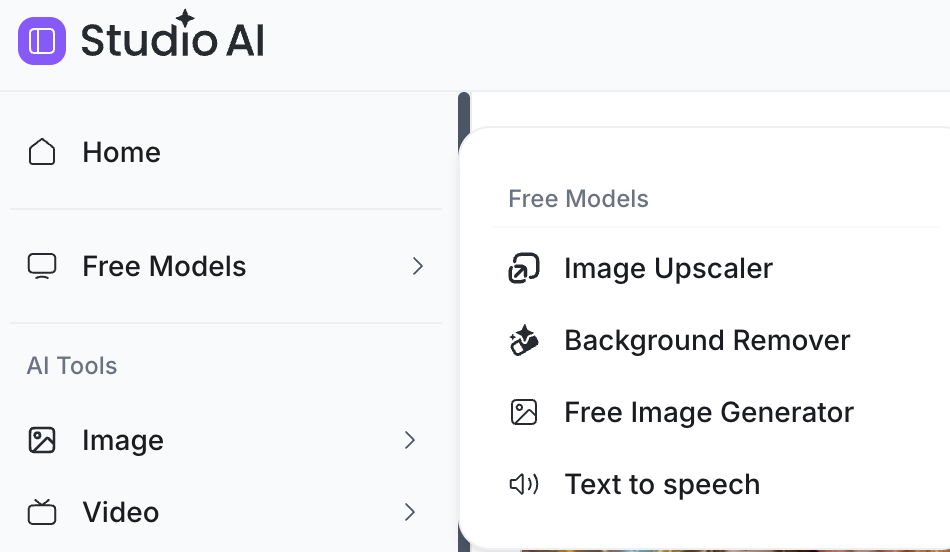
I was expecting it to take ages to remove the background (I’ve used plenty of AI tools before), but it only took a few seconds and did a surprisingly good job around the edges.
This is the before and after result, nifty, eh!
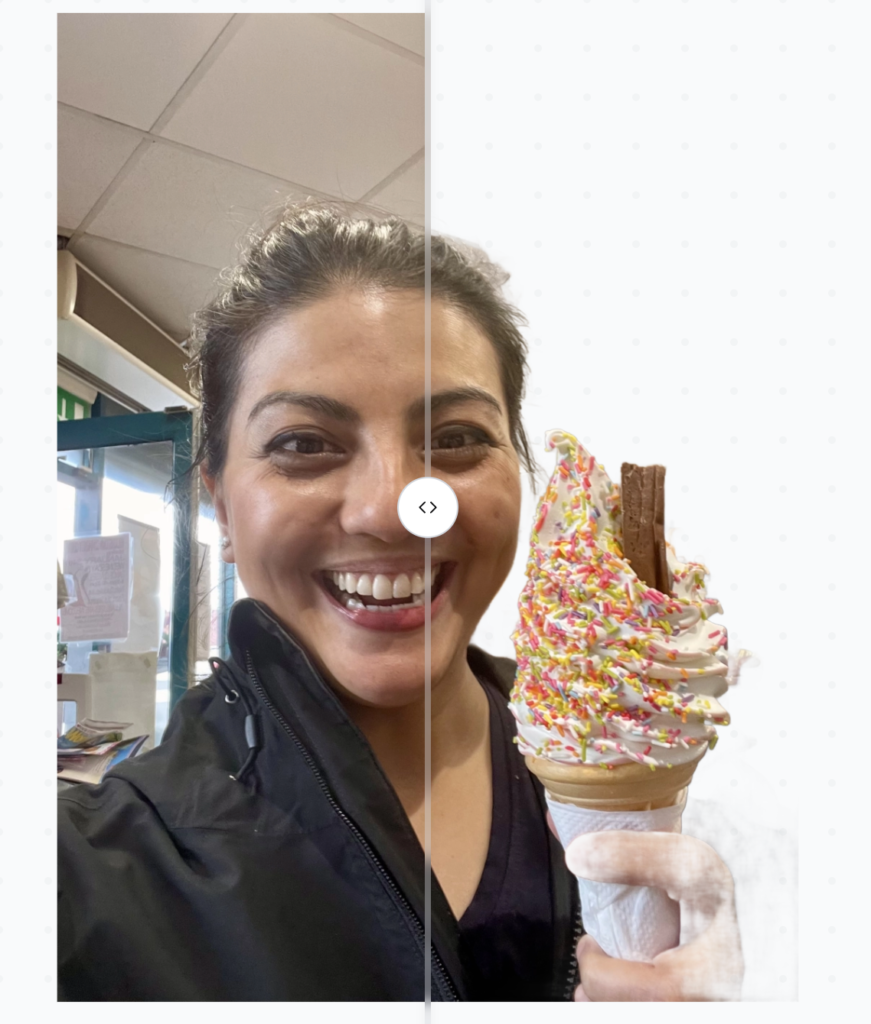
Honest verdict – it struggled a bit with cleaning up the part behind my hand, but it’s not a huge issue, I can crop my hand out if I want to, just show the ice cream 🙂
Who is it best for?
- Travelers showcasing outfits, food, and souvenirs without the messy surroundings
- Bloggers making clean featured images, packing-list graphics, and “what I wore” visuals
- Anyone making photo books or collages who wants subjects on clean backdrops
- Creators on a budget who’d rather not pay per cutout
Pros and limitations
Pros:
- Free local background removal with no credits or watermarks
- Windows and Mac support
- Cutouts export as transparent PNGs you can place on any background
- Also includes an image upscaler and other tools in the same app
- Photos are processed privately on your own machine
Limitations:
- It removes the entire background — if you love the view behind you, this isn’t the tool for that photo
- Speed depends on your computer; older machines will take longer per photo
- Models need downloading before first use (time and disk space)
- Cutout quality varies — clean plate edges are easier than wispy hair or steam
- Some features may still need internet or a Creative Fabrica account
FAQ
Is Creative Fabrica Studio Desktop free?
Yes — free on Windows and Mac, no credit card needed.
Does the background remover run on my own computer?
After the model is installed, it ran locally on my machine.
Will my photos be uploaded anywhere?
The supported local tools processed my photos on my computer without uploading them.
Does it remove the whole background?
Yes — it isolates your subject completely and removes everything else. It’s for cutouts, not for erasing a single object from a scene.
Can I put the cutout on a new background?
Yes — you get a transparent PNG, which you can place on any backdrop.
Does it work on Windows and Mac?
Both — I tested on a Mac.
Bottom line
Your travel outfits, food finds and souvenirs deserve better than a cluttered pub table or a B&B hallway.
A free background remover for Windows and Mac that runs privately on your own computer — no uploads, no credits, no watermarks — lets you cut them out clean and put them anywhere: a plain backdrop, a collage, or that Connemara landscape you shot on the same trip.
Pick your most cluttered favorite and give it the backdrop it deserves.

![11 Boat Tours in Dublin [and near Dublin too!]](https://anirishrover.com/wp-content/uploads/2023/03/boat-tour-dublin-09.jpeg)
![13 Private Day Tours From Dublin [Fun And Affordable!]](https://anirishrover.com/wp-content/uploads/2023/05/Private-day-tours-from-Dublin-16.jpg)


